Start on your iPhone.
Open the app and connect Apple Health. Explore your steps, heart rate, sleep and other signals in one place.
Built for iPhone · Connected to Apple Health
Start in VitalSpoke on your iPhone. Choose the Apple Health records you want to share, then connect your favourite bots with access you control.
iOS 17 or later · Public download coming soon
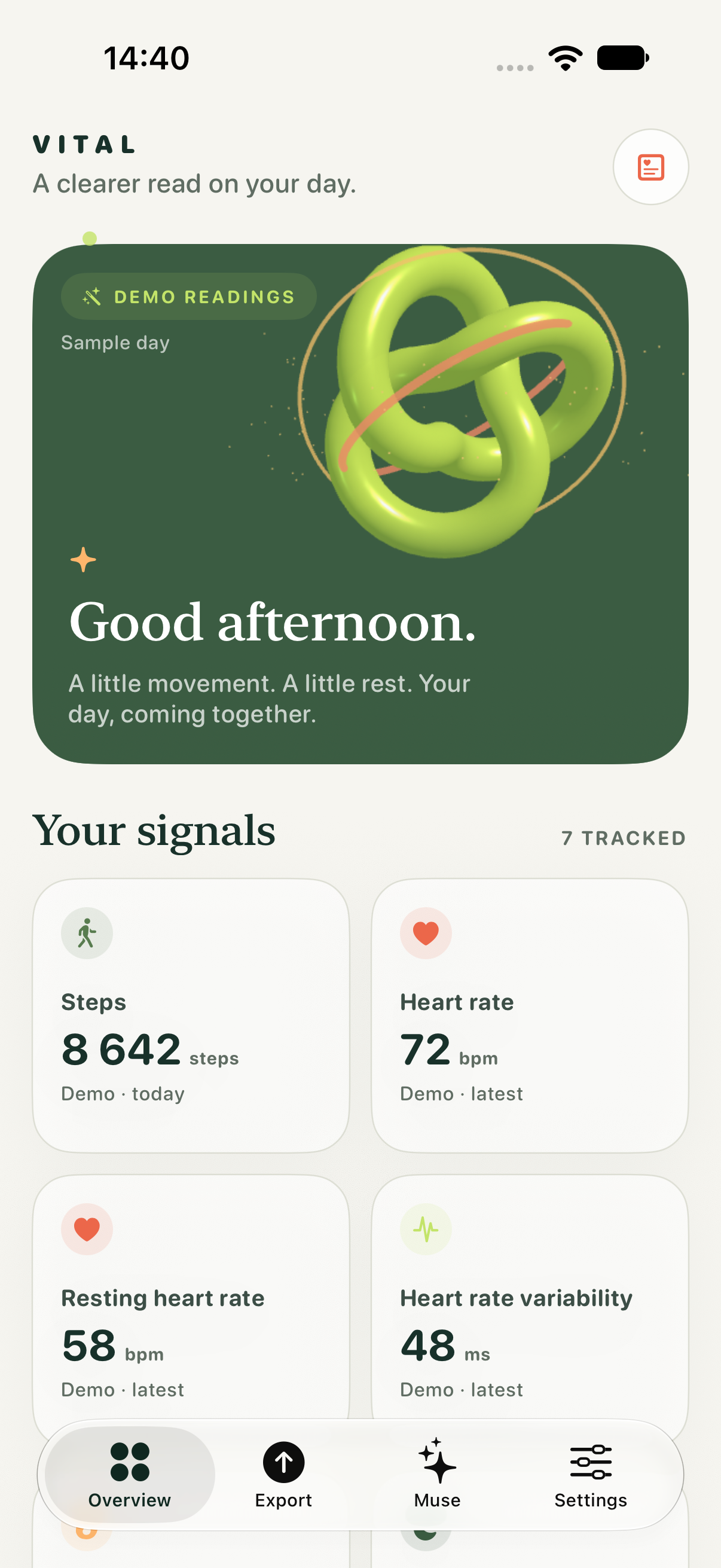
Open the app and connect Apple Health. Explore your steps, heart rate, sleep and other signals in one place.
Select your categories and dates in the app, then export when you're ready. You're in charge of what leaves your phone.
Create a limited, read-only key in the app for your chosen tool. Set an expiry and revoke access whenever you want.
VitalSpoke for iPhone
The iPhone app is built, and we're preparing its public release. The download link will appear here when it's available.
For bot integrators
Users create scoped keys in the iPhone app. Integrate with /v1/records for paginated records and /v1/summary for record counts, using a connector key in the Authorization header.
curl 'https://vitalspoke.ai/v1/records?limit=100' \
  -H 'Authorization: Bearer YOUR_SCOPED_KEY'
Example only. Replace the placeholder locally. Keep the owner API token private; connected tools need their own scoped key.
Only records already exported can be read. Each key has a fixed time window that does not move forward with new days. Summary responses contain record counts, not medical interpretations.
It cannot remove copies a connected tool already received. Review that tool’s retention settings before sharing.